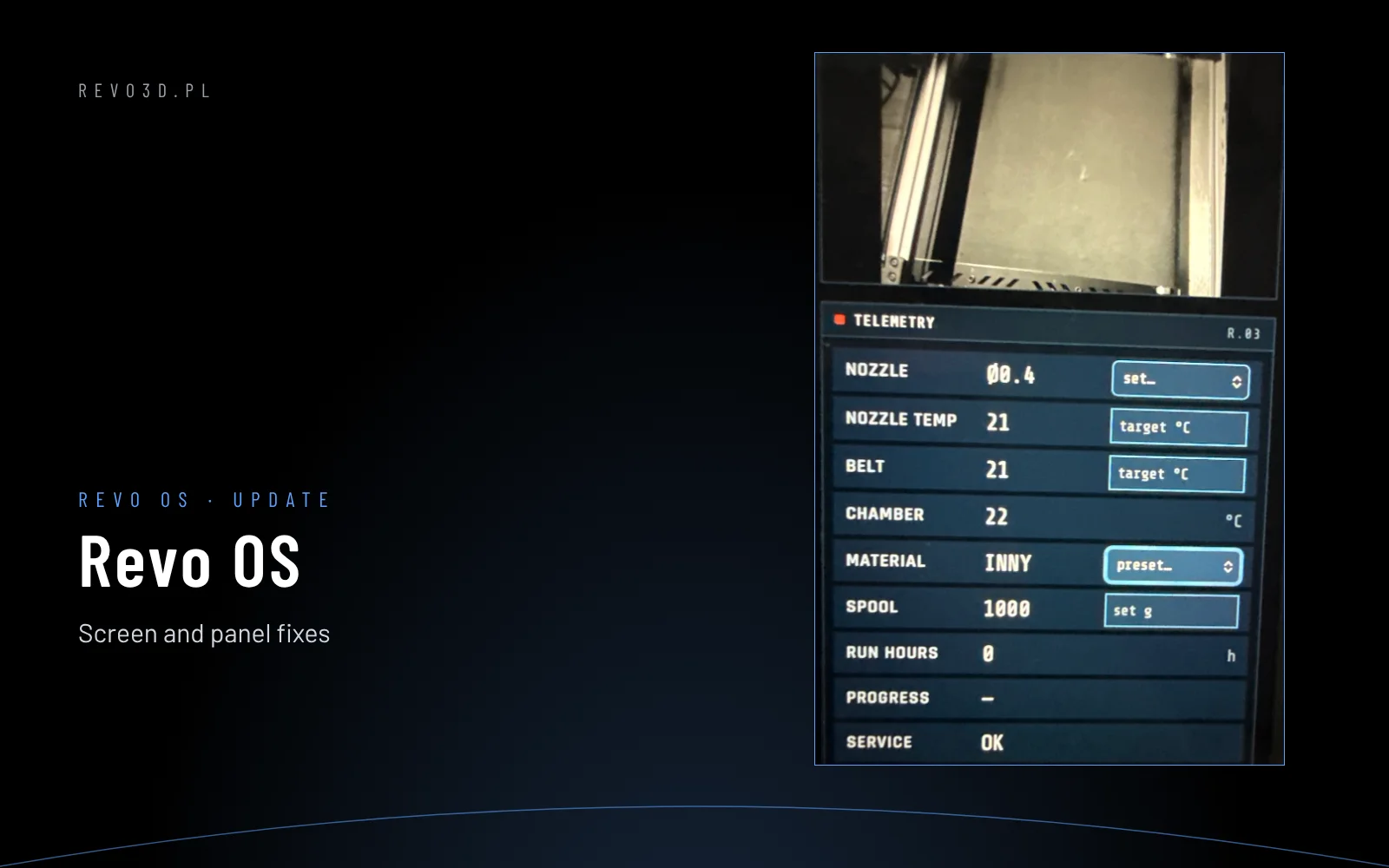
Revo OS – easier keyboard, camera and clearer telemetry
Revo OS update: the on-screen keyboard closes with a tap outside, forms scroll, the panel camera is black and white and telemetry fits on one line.

Blog
Revo OS update: the on-screen keyboard closes with a tap outside, forms scroll, the panel camera is black and white and telemetry fits on one line.
Input shaper in Klipper: what ghosting is, how to measure resonances with an ADXL345 accelerometer (SHAPER_CALIBRATE) and how to choose the maximum acceleration.
A complete Revo OS guide: home screen, printing, filament, nozzle, temperature, operators, maintenance, network and fallback mode. Compared with KlipperScreen – what we changed and why.
First steps with a Revon printer and Revo OS: the wizard, licence on the screen, consents, manager, operators and the full machine test.
The full Revon 3D printer test step by step and the daily Revo OS self-diagnostics: what is checked and what OK, ATTENTION and NEEDS SERVICE mean.