
Revo OS is the operating system of every Revon printer. We built it on Klipper – the fastest and most precise 3D printer firmware – and redesigned everything the operator touches: the machine screen, the browser panel and service support. The result: a printer that is simply good to work with.
Revo OS is a heavily modified Klipper. It has been through several iterations and we develop it fast, based on daily work on our machines and operator feedback.
A screen built for the operator
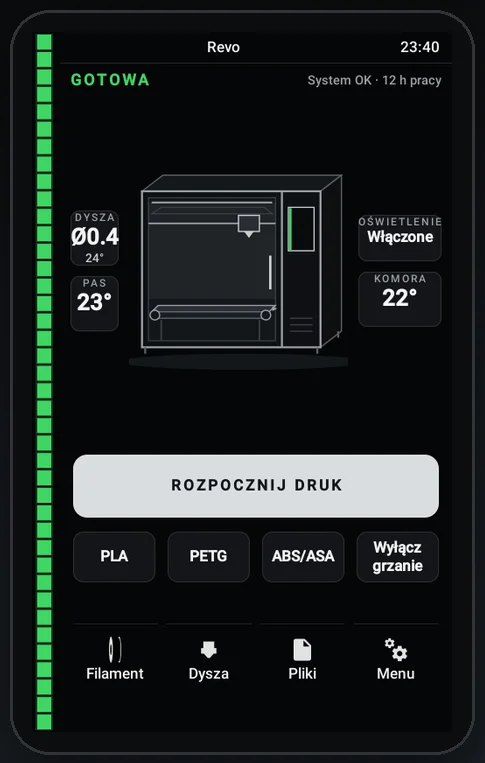
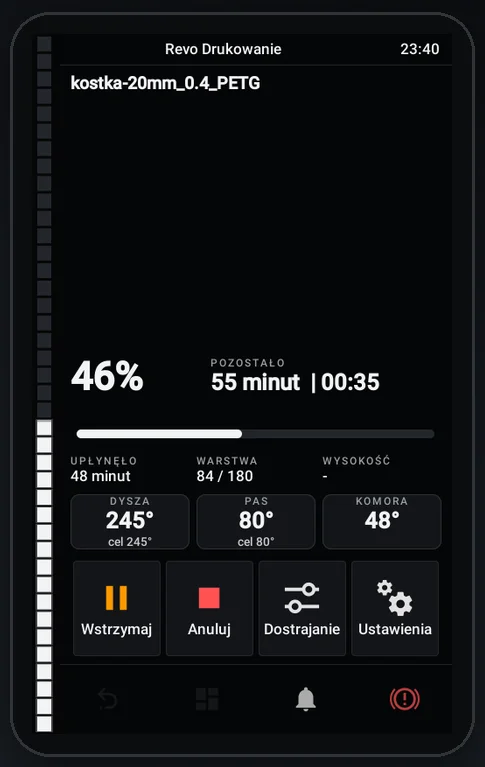
Stock KlipperScreen is full of options nobody uses day to day. In Revo OS every screen was redesigned: only what you actually use, large and clear. Starting a print is one tap, and a new operator learns the machine in minutes.
Status visible from afar
A vertical light bar runs the full height of the screen: ready, printing progress, or needs attention – visible from across the shop floor.
Nozzle check before every print
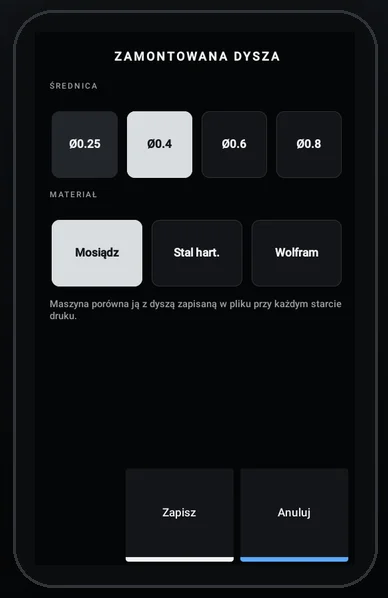
Revo OS knows which nozzle is installed – diameter and material – and stops if it doesn't match the file. No more 0.6 mm G-code on a 0.4 mm nozzle.
Filament without guesswork
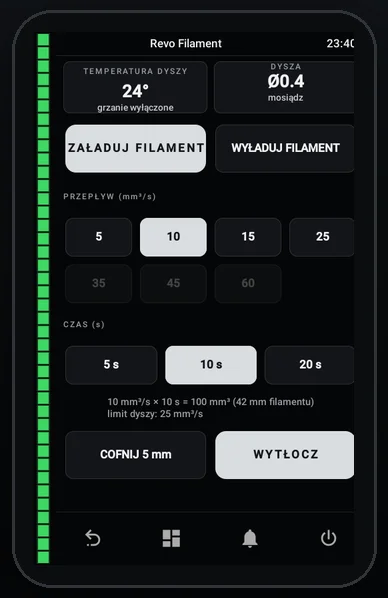
Load and extrude in mm³/s and seconds, with a flow limit matched to the nozzle. PLA, PETG and ABS/ASA presets preheat with one tap.
Revo Panel – your printer in the browser
Type the printer's address in a browser and it's in front of you – on desktop, tablet and phone, nothing to install.
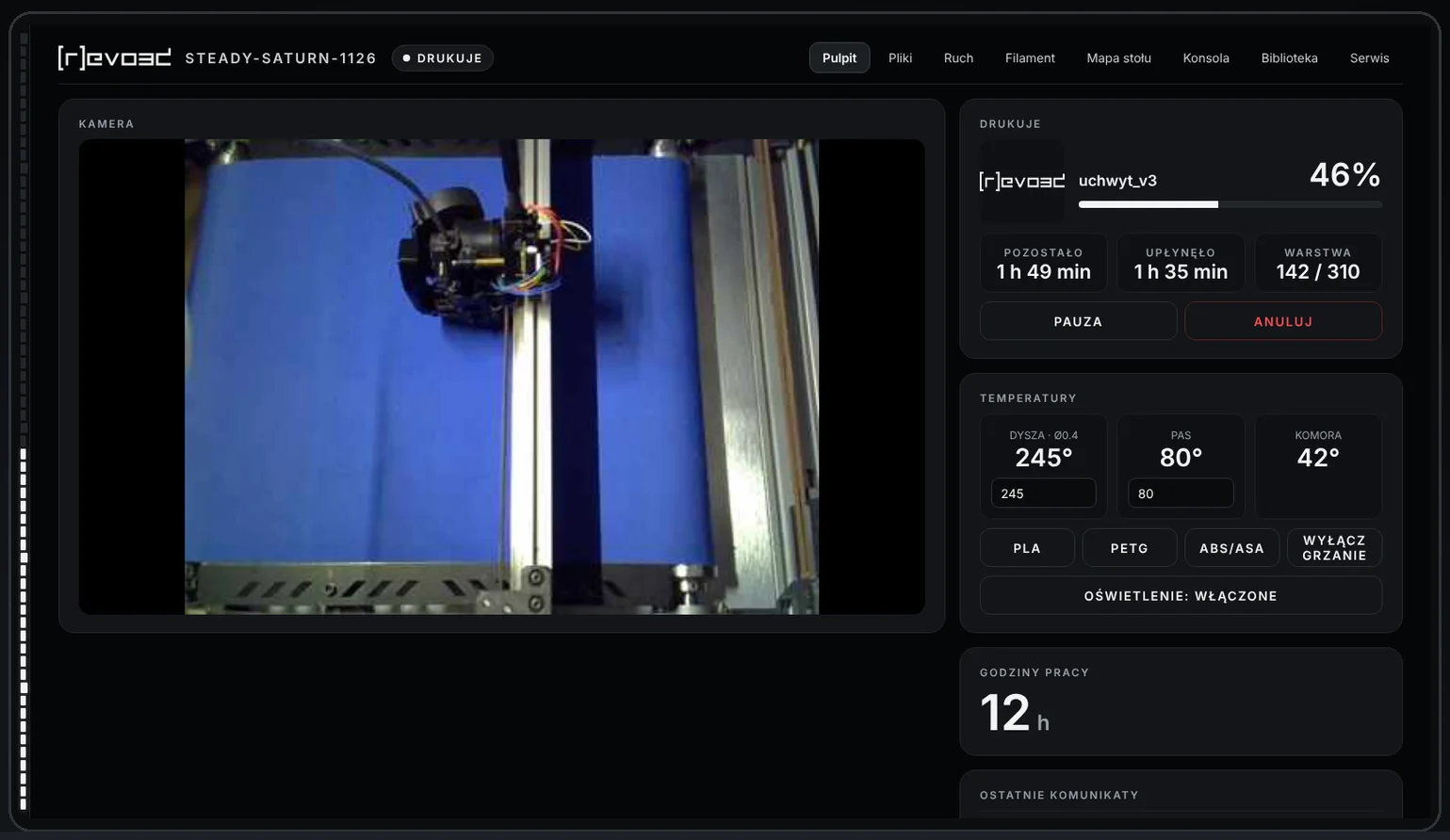
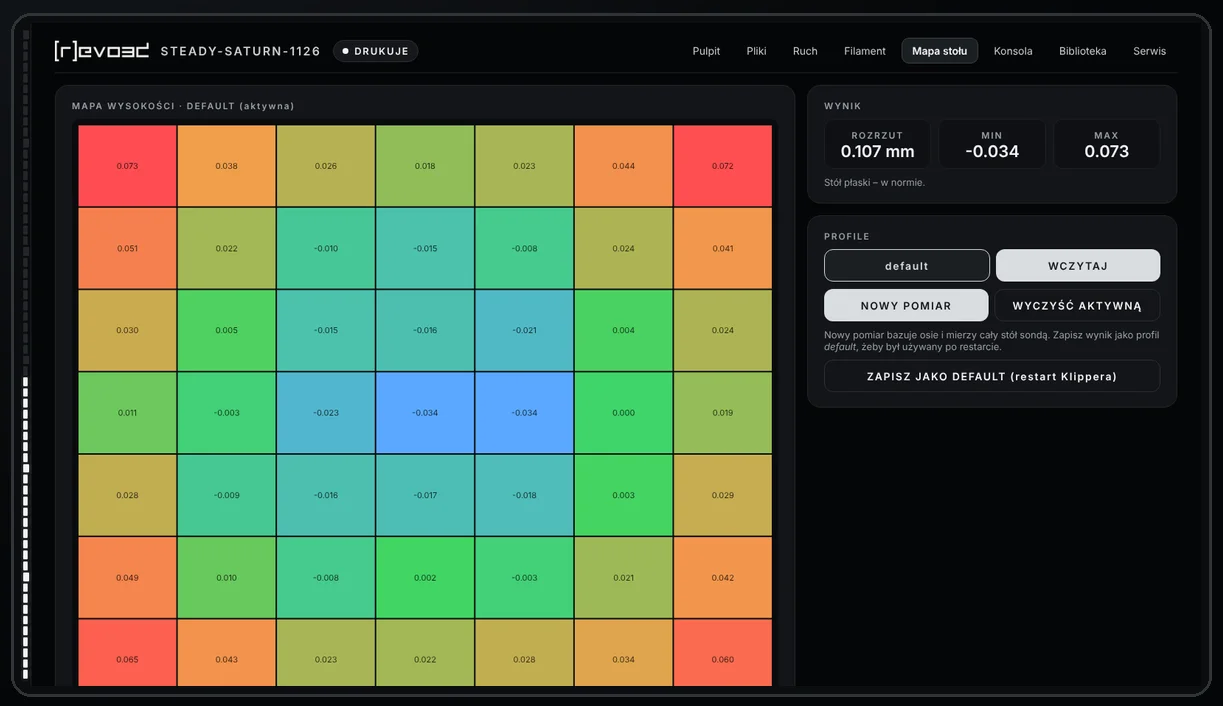
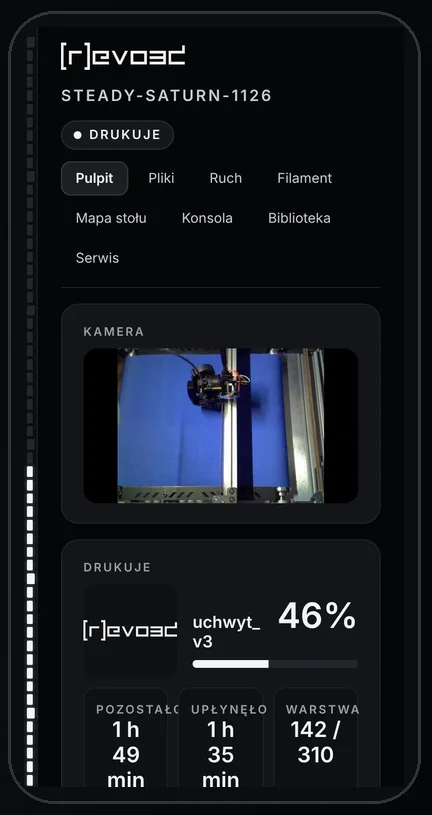
- Dashboard – camera, progress, time left, layer and temperatures,
- Files – upload and start prints from your computer,
- Motion and filament – control axes and change material remotely,
- Bed mesh – colour flatness map with saved profiles,
- Console – full Klipper access for advanced users,
- Library and Service – knowledge and help in one place.
A machine that looks after itself
Part wear reminders
Revo OS tracks nozzle, extruder, belt and bearing hours and suggests when to plan a replacement – a short planned service instead of downtime mid-job.
Configuration backups
Printer settings, macros and Orca Slicer profiles are saved automatically on every change. Roll back to a working version in moments.
Fast Revotech support
When an error occurs, our service team can get its details – code, file and layer – before you even call. An option you switch on when you want.
Klipper at the core
Under the hood: Klipper with input shaping, pressure advance and fully open configuration. No lock-in – all the benefits of open source, refined for daily production.
Where you get Revo OS
Revo OS comes standard on every new Revon printer. Existing Revotech customers receive it as an update during scheduled maintenance.
Want to see it live? Contact us or see the Revon printers.