Before you take the printer apart, answer one question: does the problem occur with different, proven filaments? If not – it is most likely settings or material (see 20 most common problems). If yes – look for a fault in the machine.
Safety: before working on electronics and heaters, switch off the power and unplug the cable. The hotend and bed stay hot for a long time.
Heating errors
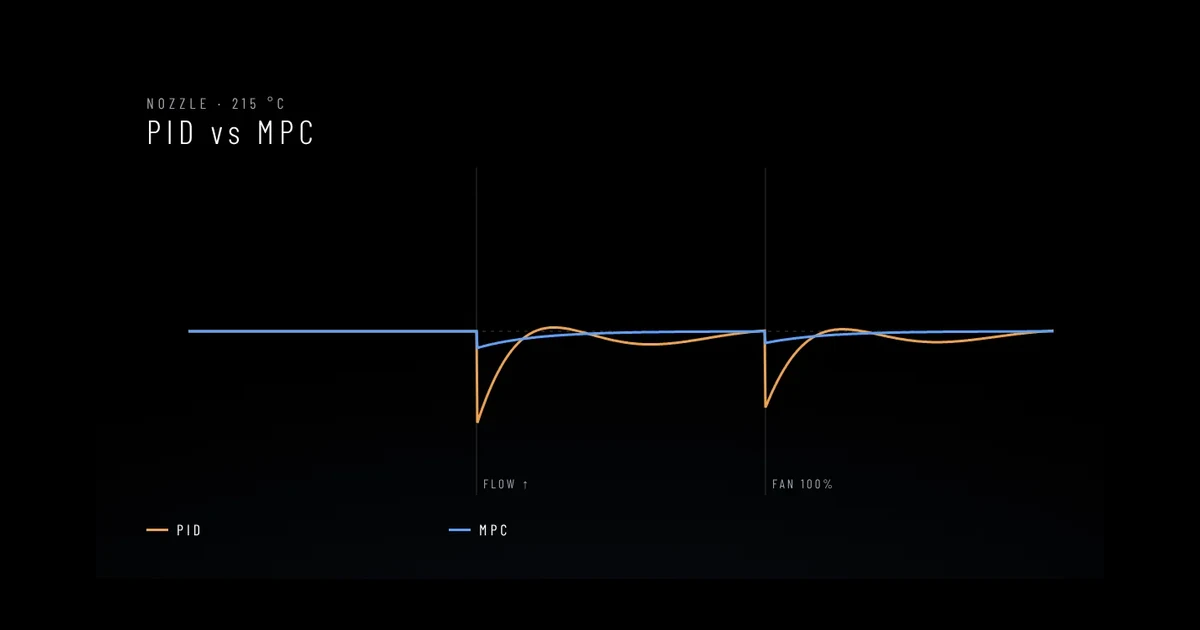
- “Heater not heating at expected rate”, thermal runaway – the heater cannot keep up: a loose or damaged wire, wrong PID calibration, a fan draught on the heater block, a failed heater. The protection worked correctly – do not disable it.
- “ADC out of range”, MINTEMP/MAXTEMP – an invalid temperature reading: a broken or shorted thermistor wire, a loose plug, a failed thermistor.
- Temperature “jumps” by a few degrees – check the thermistor mounting and the wires as the toolhead moves.
Extruder clicks or skips
- a clogged or partly clogged nozzle,
- temperature too low or speed too high for the material,
- heat creep – a hotend fan not working, a hot chamber,
- worn or dirty extruder gears, wrong tension.
Layer shifts and skipped steps
- loose belts or pulley set screws,
- resistance on the rails – dirt, no lubricant, damaged carriages,
- overheating stepper drivers (check electronics cooling),
- accelerations too high or motor current too low in the configuration.
Lost connection and restarts
Messages like “Lost communication with MCU” or sudden restarts usually come from power or wiring: a poor USB cable, interference, a weak power supply for the host computer (Raspberry Pi), loose connectors, a damaged wire in the toolhead harness. In Klipper, save the log (klippy.log) – it helps with diagnosis.
Worrying noises
- grinding and knocking on movement – bearings, rail carriages, pulleys,
- a motor humming without moving – a motor wire or driver problem,
- a whistling or rattling fan – a worn bearing, dirt.
When to send the printer for service
- heating or sensor errors return after checking the wires,
- you see damaged wires, melted connectors, a burning smell – switch the printer off at once,
- the mechanics are noisy or skip even after tightening the belts,
- the problem occurs with every filament and calibrations do not help.
Have ready: make and model, year, approximate running hours, a description of the symptoms, photos and – if you have it – the Klipper log. Send it all to us via the contact page.